Digital fashion has changed how collections are designed, reviewed and prepared for production. What once depended almost entirely on physical sampling can now be explored through 3D garment software, virtual prototypes and digital fabric visualization. For fashion brands, textile designers and product teams, this shift creates a new need: professional textile artwork that behaves well not only in print production, but also inside digital fashion workflows.
CLO 3D Compatible Patterns are not a separate category of officially certified artwork. They are high-quality seamless patterns prepared in a way that supports professional digital garment visualization, including workflows in CLO 3D and similar 3D apparel design software. The value is practical: when a repeat is clean, high resolution and well balanced, it can be applied as a fabric texture with fewer visual problems, clearer presentation and better communication between design, merchandising and production teams.
Art Pattern Studio develops seamless surface pattern designs for fashion, textiles, wallpaper, packaging and lifestyle products. Because these files are created as professional repeats, they can support both physical production and digital fashion visualization. This article explains how seamless patterns work inside CLO 3D compatible workflows, why repeat quality matters, and how a strong textile pattern library can improve the speed and clarity of collection development.
The Growth of Digital Fashion Workflows
Fashion development is moving faster. Brands need to review silhouettes, colorways, textiles, trims and merchandising stories before committing to expensive sampling rounds. Digital fashion tools help teams visualize garments earlier, test options faster and reduce avoidable rework. This does not remove the need for craftsmanship or textile knowledge. It changes where many decisions begin.
In a traditional workflow, a print may be evaluated only after fabric development, strike-offs or sample garments. In a digital workflow, the same print direction can be applied to a virtual garment and reviewed long before the final product exists. Creative directors can compare scales, buyers can evaluate collection balance, and designers can see whether a print supports the garment shape or fights against it.
This is where surface pattern design becomes especially important. A beautiful print that does not repeat properly can create seams, visual breaks or awkward distortions in a 3D preview. A professional seamless pattern, on the other hand, gives the digital garment a cleaner and more believable textile surface. For brands building seasonal collections, the ability to test print scale and placement earlier can save time, reduce uncertainty and support stronger product decisions.
What Is CLO 3D?
CLO 3D is a professional 3D garment design software used in fashion development, virtual sampling and apparel visualization. Designers can create garment patterns, simulate fabrics, evaluate fit and present garments digitally before moving into physical production. It is widely associated with digital fashion because it allows teams to see clothing in a more realistic context than flat sketches or static technical drawings.
For fashion companies, the appeal is clear. Virtual prototyping can help reduce the number of physical samples, speed up internal approvals, improve communication with factories and support more confident decision-making. A garment can be reviewed from multiple angles, adjusted, recolored and styled before a final sample is approved. For teams working across countries or time zones, this can make the design process more efficient.
It is important to be precise: Art Pattern Studio is not presenting these files as certified CLO assets, nor as a dedicated CLO plugin. The correct way to describe the relationship is workflow compatibility. Our seamless patterns are compatible with professional digital fashion workflows, including CLO 3D and similar 3D garment design software, because they are created as repeatable textile artworks that can be used as digital fabric textures.
How Fabrics and Textures Are Used in CLO 3D
Inside a 3D garment workflow, fabric is not only a material setting. It is also a visual surface. A designer may assign a digital fabric, adjust physical properties and apply image-based textures to communicate print, weave, surface effect or color direction. For printed textiles, the image file becomes the visible pattern that appears on the garment.
When using a textile print as a digital fabric texture, several factors matter: repeat, scale, resolution, placement and orientation. A seamless repeat allows the artwork to tile across the garment without obvious borders. Scale determines whether the print reads as delicate, balanced or oversized. Resolution affects clarity. Positioning and rotation influence how the pattern interacts with the garment shape.
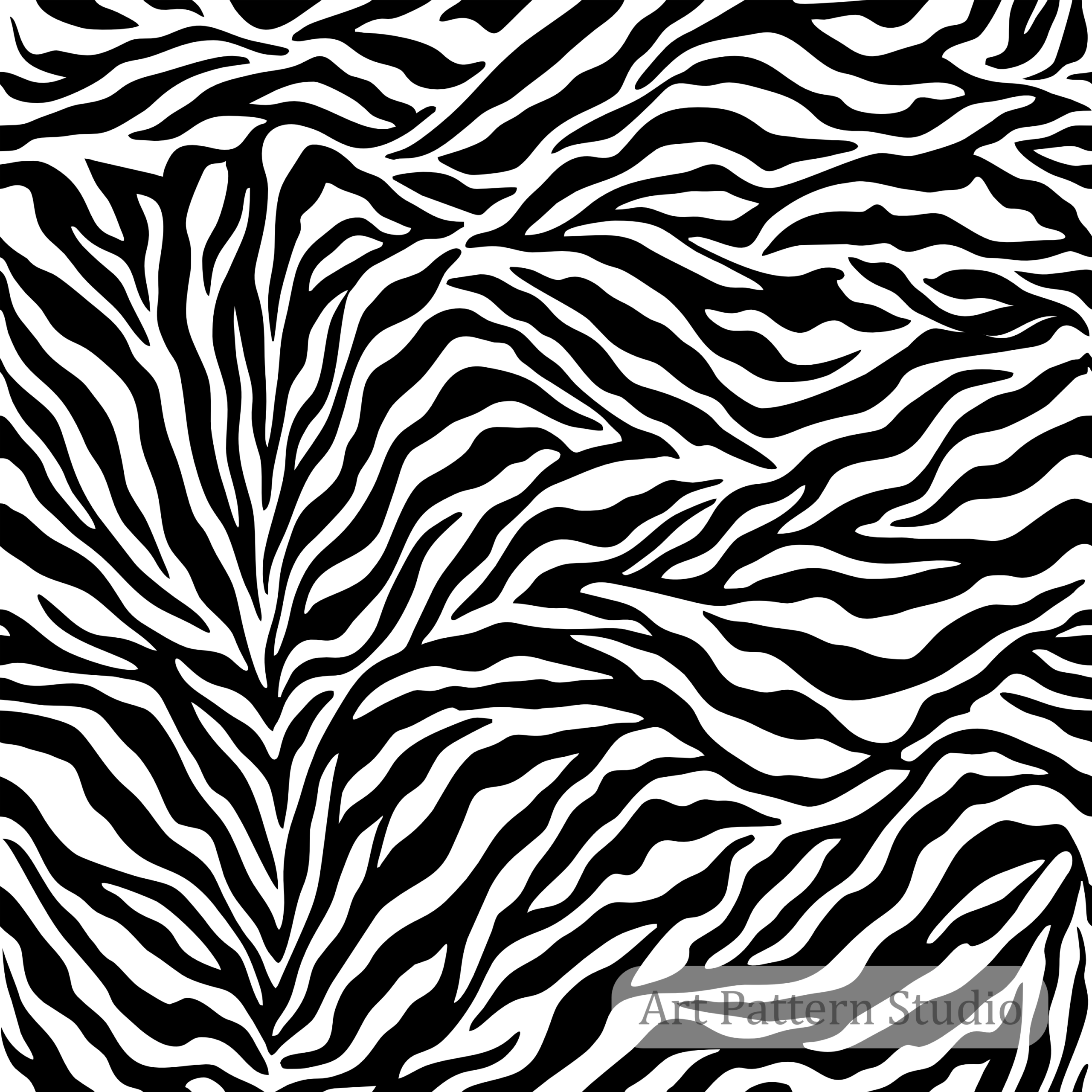
A stripe, plaid, floral, animal print or abstract pattern can change dramatically depending on how it is applied. A small scale may work well for shirts, kidswear or linings. A larger scale may feel stronger for dresses, outerwear, scarves, wallpaper or bags. Digital workflows allow those decisions to be explored earlier, but they still depend on the quality of the underlying pattern file.
If the repeat is not seamless, the digital garment may show visible breaks where the pattern tiles. If the file is too low in resolution, the texture may look soft or unprofessional. If the artwork is poorly balanced, it may distract from the garment rather than support it. This is why digital fashion teams benefit from using professional seamless repeat patterns rather than improvised low-quality images.
Why a Seamless Pattern Makes All the Difference
A seamless pattern is built so the edges connect perfectly when repeated. In physical textile printing, this prevents visible breaks across fabric. In digital fashion, it allows the print to tile across virtual surfaces more naturally. The principle is the same: the eye should experience the design as a continuous textile, not as a repeated rectangle.
Professional seamless pattern design is especially important for fashion because garments are complex surfaces. A print may travel across sleeves, collars, seams, waistlines, darts, panels and curved areas. Even in a digital preview, the artwork needs to maintain visual coherence. A clean repeat gives the designer more control when adjusting scale and placement.
For a CLO 3D fabric texture or any digital garment visualization, repeat quality affects perceived professionalism. A strong pattern helps the garment look intentional. A weak pattern makes the preview feel unfinished, even if the garment shape is correct. This is why brands should treat digital textile design with the same care they apply to physical product development.
In commercial terms, this matters because the digital preview often becomes part of the selling conversation. It may be shown to internal teams, buyers, manufacturers, investors or collaborators. If the fabric texture looks clean, the product idea feels more credible. If the print looks broken, blurred or poorly scaled, the collection loses impact before production even begins.
How Art Pattern Studio Files Can Be Used in Digital Fashion Workflows
Art Pattern Studio patterns are developed as professional seamless designs for creative and commercial use. Many pattern packages include high-resolution JPG, PNG, AI and EPS files, allowing designers to work with both raster and editable vector formats depending on the artwork and the project needs. This flexibility is useful for digital fashion because the file can often be adjusted in graphic software before being applied as a texture.
For example, a designer may open the artwork in Adobe Photoshop to adjust scale, crop a texture preview, prepare a flattened JPG, or test color variations. In Adobe Illustrator, editable AI or EPS artwork can support recoloring, motif editing and production adjustments when the file structure allows it. After that, the exported texture can be applied inside a 3D garment workflow.
The key is to understand the role of the pattern file. Art Pattern Studio does not provide an official CLO 3D plugin and does not claim official certification. Instead, the artwork is compatible with digital fashion workflows because seamless pattern files can be prepared as digital textile textures. Designers can adapt the files in the software they already use, then import or apply the exported artwork according to their 3D design process.
This approach is practical for fashion brands and independent designers because it connects creative surface design with real product visualization. A print can be tested on dresses, shirts, swimwear, scarves, sportswear, jackets, bags or home textiles before physical sampling. That makes the pattern library a useful asset for both inspiration and decision-making.
Software Compatibility Beyond CLO 3D
Professional seamless patterns are not limited to one digital platform. Because the artwork is supplied as image and design files, it can support a range of creative workflows. The specific import method may vary by software, but the design principle remains consistent: a clean repeat and high-quality texture file will perform better than a non-seamless or low-resolution image.
Common Software Workflows
- CLO 3D: virtual garment development, fabric visualization and collection review.
- Marvelous Designer: 3D garment simulation, costume design and digital clothing concepts.
- Style3D: digital apparel development and virtual fashion presentation.
- Browzwear: 3D product development, fit review and fashion visualization.
- Adobe Photoshop: raster editing, texture preparation, color tests and mockups.
- Adobe Illustrator: vector editing, recoloring, motif adjustment and production artwork preparation.
This broader compatibility is one reason surface pattern design is becoming more important in digital product development. A pattern can begin as an artwork, become a 3D fabric texture, support a collection presentation and later move into print production or product licensing. For designers building a professional fashion texture library, seamless pattern files create a bridge between creative direction and technical application.
How to Choose a Good Pattern for Digital Fashion
Not every attractive print is ready for digital fashion. A beautiful image can fail when it is repeated, scaled or applied to a garment. When choosing textile patterns for CLO 3D compatible workflows, designers should evaluate both visual style and technical readiness.
Digital Fashion Pattern Checklist
- Seamless repeat: the artwork should tile cleanly without visible edges.
- High resolution: the texture should remain clear when applied, scaled or exported.
- Clean file structure: editable files should be organized enough for professional use.
- Easy recoloring: strong pattern files allow brands to test seasonal palettes.
- Scalability: the design should work across garment types and product categories.
- Commercial usage: the license should match the intended product or business use.
This checklist matters because digital fashion workflows often move quickly. A team may need to test several prints across multiple garments in a short time. If the file requires heavy cleanup before use, the workflow slows down. If the file is clean, seamless and well prepared, the designer can focus on creative decisions instead of technical repair.
For more guidance on evaluating production-ready artwork, read how to choose seamless patterns for fashion collections. The same principles apply strongly to digital garment visualization: repeat quality, scale, color balance and licensing all influence the final result.
Applications Across Fashion, Lifestyle and Product Design
CLO 3D compatible patterns can support far more than a single garment preview. A professional seamless pattern can become part of a larger product story, moving between digital samples, physical textiles, packaging, accessories and lifestyle applications. This is especially useful for brands that need visual consistency across collections.
- Fashion: dresses, shirts, tailoring, knitwear, swimwear, resortwear and seasonal apparel.
- Sportswear: activewear, performance apparel, athleisure, team graphics and bold textile prints.
- Kidswear: playful prints, smaller scale repeats, color stories and character-free commercial patterns.
- Luxury fashion: refined motifs, premium color palettes, scarves, linings and capsule collections.
- Home decor: cushions, bedding, wallpaper, upholstery accents and coordinated interiors.
- Accessories: scarves, handbags, hats, footwear details, trims and lifestyle products.
- Packaging: boxes, tissue paper, product sleeves, labels, stationery and brand merchandising.
The same pattern does not need to be used at the same scale everywhere. In fact, one of the advantages of digital design is the ability to test multiple scales and colorways quickly. A print may feel subtle on a dress, graphic on a bag and highly decorative on packaging. A strong seamless repeat gives the brand room to adapt the artwork without losing visual identity.
This is also where trend-aware pattern libraries can support creative planning. Timeless stripe patterns, fashion week stripes, black and white prints, florals, animal prints, ceramics, plaids and abstract repeats all have different commercial roles. If your team is developing a broader collection, the Art Pattern Studio collections page can help organize visual directions across multiple categories.
Benefits for Fashion Brands and Product Teams
For fashion brands, digital workflows are not only about technology. They are about better communication. When a designer can show a garment with a realistic textile print, the conversation becomes clearer. Teams can evaluate whether the pattern supports the silhouette, whether the scale feels right, and whether the print belongs in the collection story.
Professional seamless patterns can reduce time in several ways. They minimize file cleanup, support faster mockups, help designers test variations and reduce the uncertainty that often appears between concept and sample. They also help teams communicate more effectively with manufacturers, because the print direction can be seen in context rather than imagined from a flat swatch.
The benefits are especially clear for brands working with remote teams. A creative director, patternmaker, textile designer, buyer and manufacturer may all be looking at the same digital garment. A clean texture makes the design intent easier to understand. A poor texture can create confusion: is the issue the garment, the print, the scale or the file quality?
By using professional seamless repeats, fashion teams can make stronger decisions earlier. This can reduce rework, shorten development time and improve the quality of internal presentations. It also supports more confident licensing decisions because the team can see how the pattern behaves across the intended product range before committing to wider use.
Pattern Licensing for Digital and Commercial Use
Licensing is an essential part of professional textile design. A pattern used only for personal exploration is different from a pattern used for commercial products, manufacturing, marketing visuals or brand collections. Before using any digital fabric, designers should confirm that the license supports the intended application.
Art Pattern Studio offers licensing options for different creative and commercial needs. If you are using a pattern in client presentations, digital product previews, apparel development or products for resale, review the licensing page carefully. The right license helps protect both the designer and the brand.
If you are comparing usage levels, the article Commercial vs Extended Pattern License Explained gives a practical overview. For digital fashion teams, this is especially important because a pattern may begin as a virtual sample and later become part of a real production collection.
Explore the Art Pattern Studio Pattern Library
The Art Pattern Studio pattern library was created for designers, brands and manufacturers that need professional seamless patterns for real creative workflows. Each design is developed with repeat quality, commercial application and visual clarity in mind. This makes the library useful for fashion, textile design, digital fabric visualization, home decor, packaging and licensing projects.
If you are developing virtual garments, planning a digital showroom, preparing collection boards or testing surface patterns inside CLO 3D compatible workflows, browse the Art Pattern Studio patterns. You can also visit the home page to understand the studio positioning or explore the blog for more editorial guides on textile design, fashion prints and licensing.
A good pattern library does more than provide decoration. It helps creative teams make decisions faster. It supports visual storytelling. It gives designers a stronger starting point when building fashion prints, textile repeats and product surfaces. In digital fashion, that starting point can be the difference between a flat preview and a convincing collection concept.
FAQ: CLO 3D Compatible Patterns and Digital Textile Design
Are Art Pattern Studio patterns compatible with CLO 3D?
Art Pattern Studio seamless patterns are compatible with professional digital fashion workflows, including CLO 3D and similar 3D garment design software, because they can be prepared and applied as digital fabric textures. This does not mean Art Pattern Studio provides CLO certification, endorsement or a dedicated CLO plugin.
What image format works best in CLO 3D?
Many designers use high-resolution image files such as JPG or PNG as textile textures, depending on the workflow and the type of visual result needed. Editable formats such as AI and EPS can be useful before export when recoloring or artwork adjustments are required.
Why are seamless patterns important in digital fashion?
Seamless patterns tile continuously without visible borders. In digital fashion, this helps the fabric texture look cleaner and more realistic when applied across virtual garments, panels and product surfaces.
Can I edit Art Pattern Studio patterns before importing them?
Many Art Pattern Studio files can be edited in graphic software such as Adobe Photoshop or Adobe Illustrator before being exported for digital fashion use. The exact editing flexibility depends on the file formats included with the selected pattern package.
Which software is compatible with these patterns?
Art Pattern Studio seamless patterns can support workflows in CLO 3D, Marvelous Designer, Style3D, Browzwear, Adobe Photoshop and Adobe Illustrator, depending on how the designer prepares and applies the file.
Final Thoughts: Better Patterns Create Better Digital Fashion Presentations
Digital fashion tools are powerful, but the quality of the visual assets still matters. A virtual garment can only communicate a textile idea clearly when the pattern file is clean, seamless and professionally prepared. For brands, this means that surface pattern design remains central even as workflows become more digital.
CLO 3D compatible patterns help designers move faster because they support realistic previews, clearer collection reviews and more confident decisions before production. When a seamless repeat works well in a digital environment, it can also support physical textiles, packaging, home decor and commercial product development.
Explore Professional Seamless Patterns for Digital Fashion
If your brand is building digital garments, testing textile directions or preparing a collection for professional review, explore the Art Pattern Studio pattern library. Our seamless patterns are designed for high-quality visual presentation, commercial surface design and flexible licensing, helping fashion teams turn digital concepts into stronger, clearer and more market-ready collections.
 No products in the cart.